Alarms that ring on time
Exact alarms on any days, set again after a restart, with a countdown to each one.
Wake up gently
A volume that rises over half a minute, three original sounds or your own, and big Snooze and Dismiss buttons.
Really wake up
An optional wake-up sum, and a missed-alarm note if nobody turns it off.
Timer and stopwatch
Type a time or tap a ready one; a stopwatch with laps to the hundredth of a second.
Your alarms stay yours
Wakefold has no account. Your alarms stay on your phone. It asks only for what an alarm clock needs, such as notifications. The app is free with ads from Google AdMob, never on the ringing alarm.
Guides
Alarm troubleshooting, setting alarms, and tips for easier mornings.
- Is snoozing bad for you? How to use the snooze button wisely
What snoozing does to your mornings, when a snooze is harmless, how to pick a snooze length, and simple ways to stop relying on it.
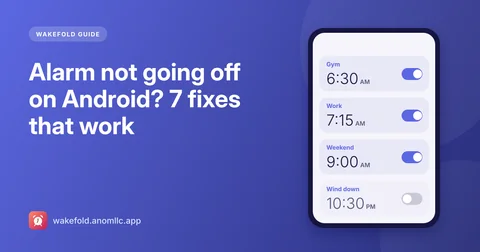
- Alarm not going off on Android? 7 fixes that work
If your Android alarm didn't ring, one of a few settings is usually to blame: notifications, alarm volume, exact alarms, battery limits or Do Not Disturb. Here's how to check each.
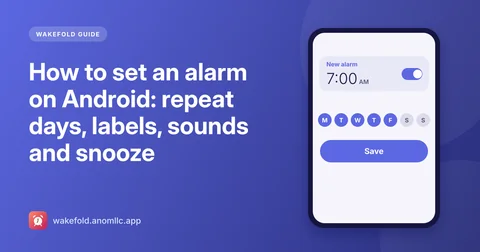
- How to set an alarm on Android: repeat days, labels, sounds and snooze
A step-by-step guide to setting alarms on Android with Wakefold: one-time and repeating alarms, labels, your own sound, a gentle rising volume, snooze length and the timer.
Questions
Is Wakefold free?
Yes, with no account. It shows a banner at the top of its main screens and now and then a full-screen ad after you save an alarm. There are never ads on the ringing alarm.
Will my alarm ring if the app is closed or the phone restarts?
Yes. Alarms are handed to Android's own alarm system, so they ring with the app closed and the phone idle, and Wakefold sets them again after a restart, even before you unlock the phone.
Why does Wakefold need notifications?
The ringing alarm is a notification that opens the full-screen alarm. If notifications are off, Android would keep the alarm silent, so Wakefold shows a warning and asks once, when you save your first alarm.
What is the wake-up sum?
An option per alarm: to turn it off you solve a short sum like 23 + 48. Snooze still works with one tap.
Can I use my own alarm sound?
Yes. Pick one of Wakefold's three sounds or any alarm sound on your phone, with vibration on or off and a volume that rises gently if you like.
Which phones and languages?
Android 8.0 or newer. English, Spanish, Portuguese, French, German and Hindi, with 12- or 24-hour time as set on your phone.